Announcing Dart support for GitHub Actions
GitHub Actions is a popular offering for continuous integration (CI) for GitHub repos. Today, we’re announcing an official setup-dart…

GitHub Actions is a popular offering for continuous integration (CI) for GitHub repos. Today, we’re announcing an official setup-dart action by the Dart team. This action supports downloading, installing, and configuring the Dart SDK, so you can run Dart build and test jobs with ease on GitHub Actions.
If you author a Dart package for pub.dev, we encourage you to enable CI testing with Github Actions for your repo, to give you (and package users) a signal about whether your package is healthy. CI jobs on GitHub Actions are free for public repos.
Introducing setup-dart
#
If you have a GitHub repository with a Dart app in it, you
can enable CI testing with GitHub Actions and the setup-dart
action with just a few clicks. Here we have a new GitHub
repo called
myapp, which
contains the starting point for a small application
generated with the Dart tool
by running
dart create --template console-full myapp.
Next, open the GitHub web UI, and click the Actions tab:
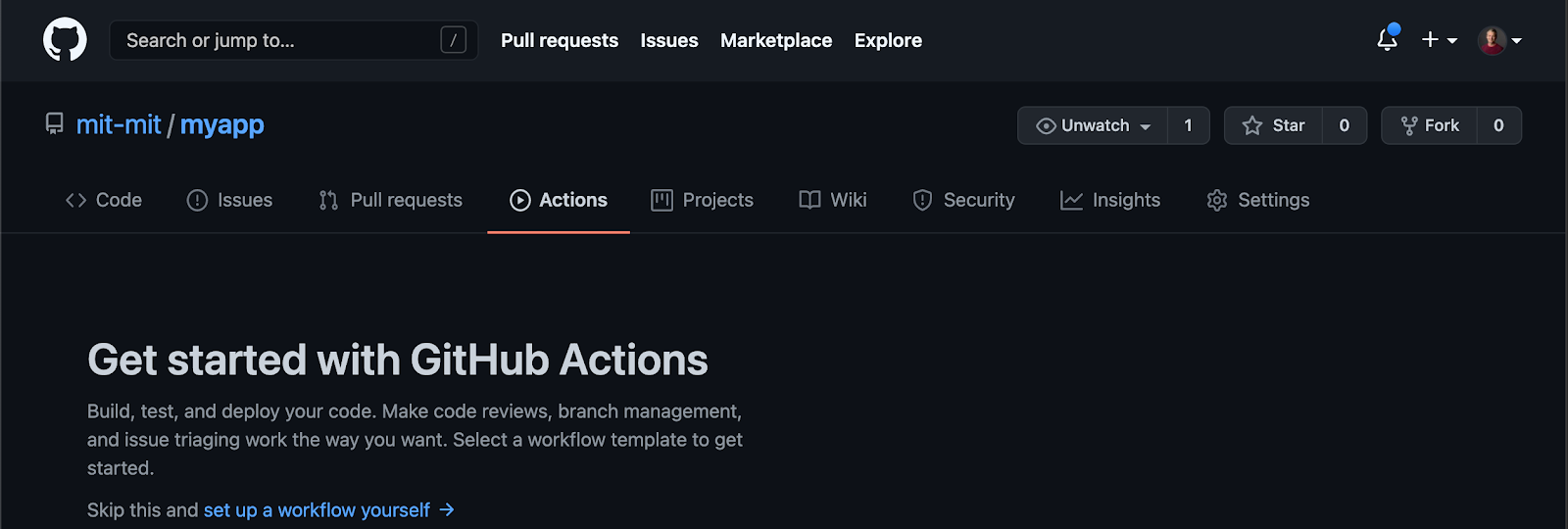
Just below the the introduction, you should see a section suggesting a workflow for a Dart repository:
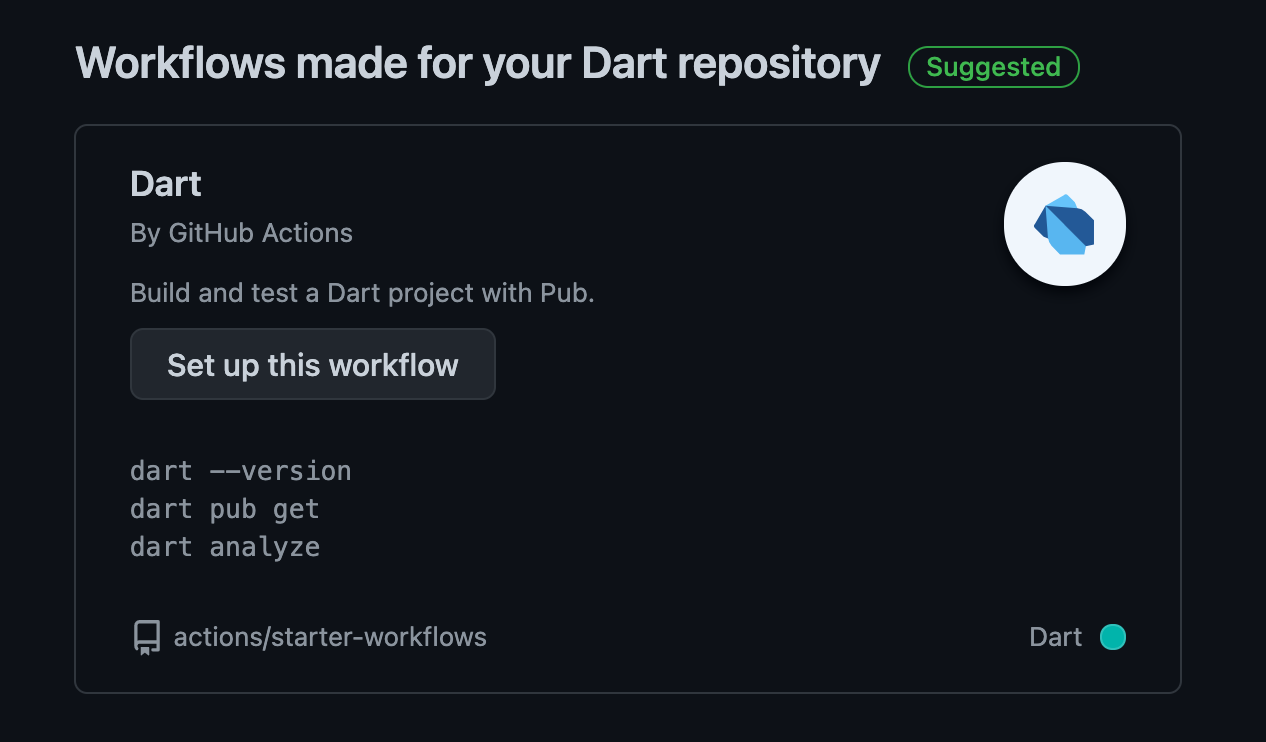
Click the Set up this workflow button, and
you’ll be taken to the GitHub UI for adding a new
.github/workflow/dart.yml file. This is a YAML
file that defines the GitHub Actions workflow to run in the
repo. Let’s review each of the components suggested by the
template
workflow
file.
First we define the name of the workflow, which will be shown in the Actions admin UI:
name: Dart
Next, we define when the workflow should be run (the event that triggers the workflow). Here the flow is configured to run whenever there is a push to the main branch, or a PR for the main branch. I’ve personally found that when I’m having trouble getting a workflow to run, it’s often because I’ve misspelled the branch name.
on:
  push:
    branches: [ main ]
  pull_request:
    branches: [ main ]
Then follows a list of jobs, each with a name (here
test). Each job has its own definition,
consisting of a listing of where to run the job (this job
runs on Ubuntu Linux) and what steps to take:
jobs:
  test:
    runs-on: ubuntu-latest
    steps:
As for the specific test, first we check out the repository
under test, and then we run the new setup-dart
action. This downloads and installs the Dart SDK, and then
adds the dart CLI and pub global directory to
the path. Here we don’t specify which Dart SDK to install,
so the action will install the most recent stable-channel
SDK.
      - uses: actions/checkout@v2
      - uses: dart-lang/setup-dart@v1
We can then go ahead and perform our desired tests, like formatting, analysis, and unit tests:
      - name: Install dependencies
        run: dart pub get

      - name: Verify formatting
        run: dart format — output=none — set-exit-if-changed .

      - name: Analyze project source
        run: dart analyze

      - name: Run tests
        run: dart test
For a full example, see our workflow for package:characters.
Specifying SDK version
#The setup-dart action supports specifying the version of Dart you wish to install. This can take one of two forms:
-
A specific version, e.g.
2.9.0or2.12.0–259.12.beta -
The latest version from a release channel, e.g.
stableorbeta
To specify a version use the sdk argument,
either directly or as part of a
test matrix:
matrix:
    os: [ubuntu-latest, macos-latest, windows-latest]
    sdk: [2.10.0, stable, beta]
    runs-on: $
    steps:
      - uses: actions/checkout@v2
      - uses: dart-lang/[email protected]
        with:
          sdk: $
The result of this matrix is nine separately run jobs:
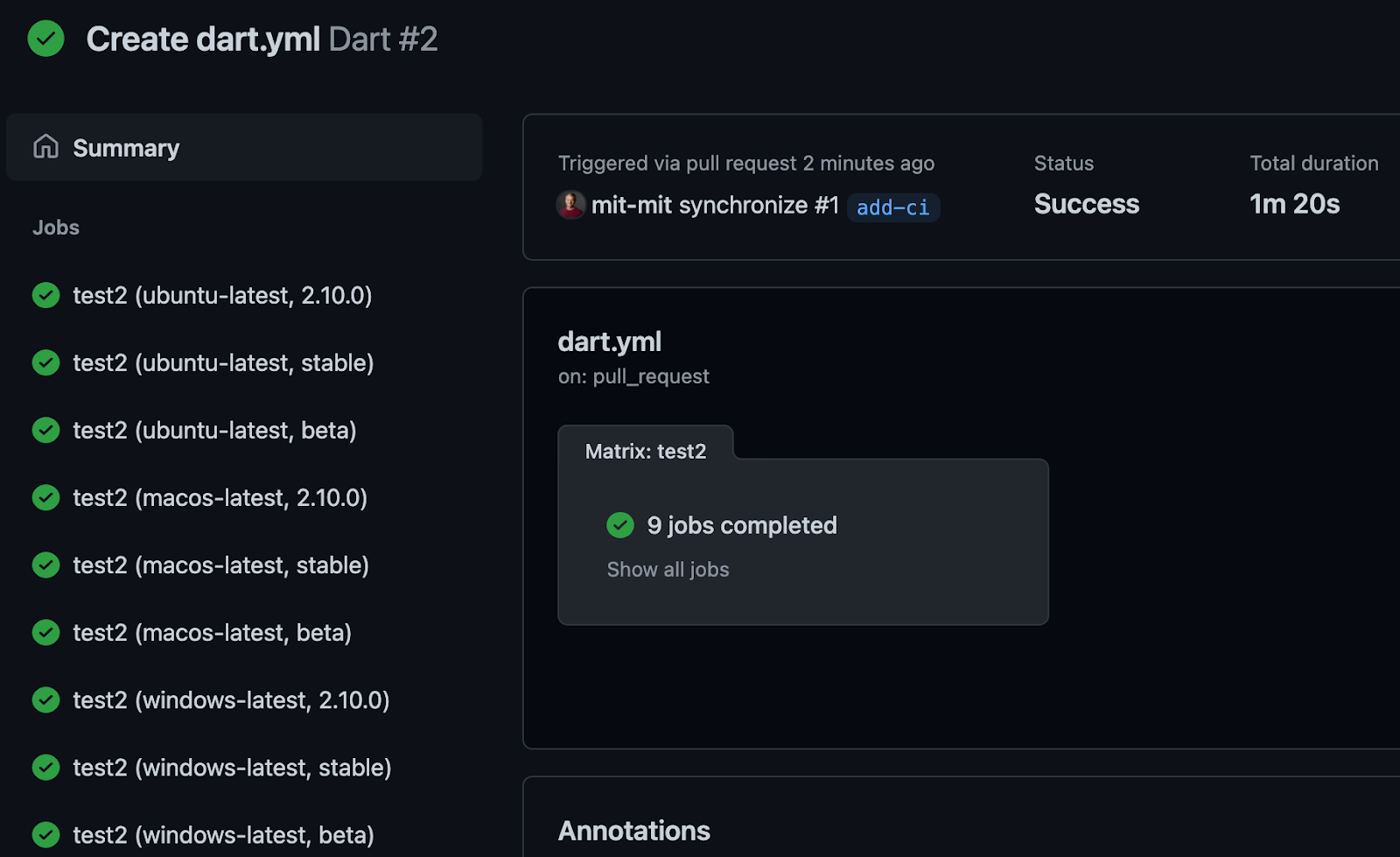
Now that everything is passing, you might want to
add a status badge
to your README.md file to display the test
status.
Alternative solutions
#GitHub Actions is one of several popular solutions for continuous integration. Others with support for the Dart SDK include Travis, AppVeyor, and CodeShip. For testing of Flutter apps, options include Codemagic from Nevercode, Cirrus CI, and Bitrise. GitHub Actions for Flutter apps is enabled by community contributed actions, such as flutter-action.
That’s it for now. We hope you enjoy this new CI support for Dart, and if you have any feedback or issues with setup-dart, please let us know in the issue tracker.
More from Dart

The Flutter missing link: Why full-stack Dart changes everything
With Cloud Functions for Firebase support for Dart, we can treat the entire stack as a single, unified application.

Announcing Genkit Dart: Build full-stack AI apps with Dart and Flutter
Announcing the preview launch of Genkit Dart, an open-source AI framework for building full-stack, AI-powered apps for any platform.
